
Artificial intelligence tools have become part of everyday life for many home users and businesses.
That growing popularity has also created a new opportunity for scammers.
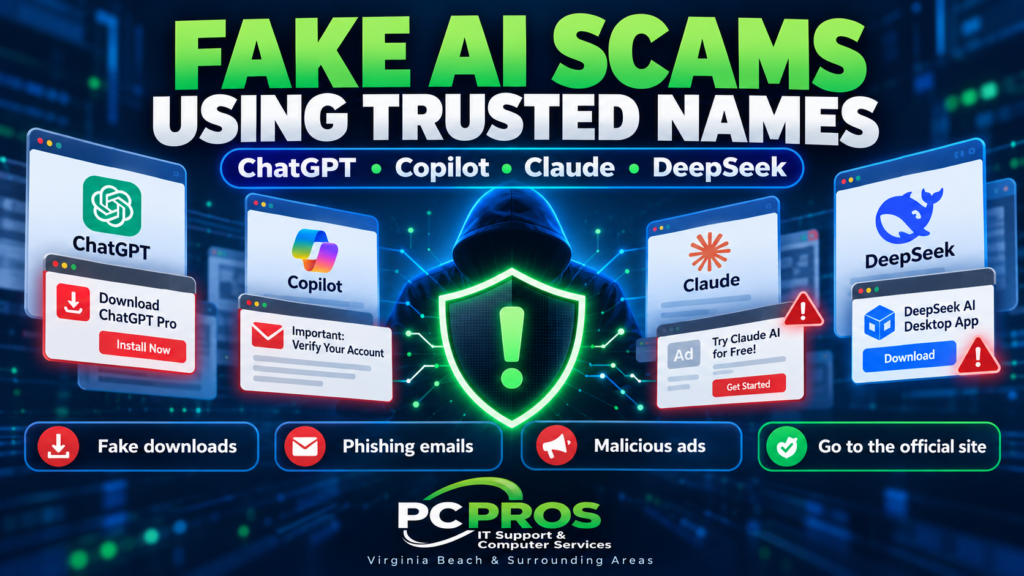
Microsoft says cybercriminals are increasingly using familiar AI brands such as ChatGPT, Microsoft Copilot, Claude, and DeepSeek as bait in phishing emails, malicious advertisements, fake software downloads, and fraudulent websites.
These attacks do not mean the legitimate AI services themselves have been compromised.
Instead, criminals are doing something much more familiar:
They are borrowing the name and appearance of a trusted product to convince people to click, download, sign in, or provide payment information.
For home users and small businesses, that makes one lesson increasingly important:
Do not assume something is legitimate simply because it uses a recognizable AI brand.
Why AI Brands Make Effective Scam Bait
Scammers have always taken advantage of whatever people are currently interested in.
Years ago, that might have been a fake shipping notice, an antivirus warning, or a message supposedly from a bank.
Today, AI tools generate enormous curiosity.
People actively search for:
- New AI applications
- ChatGPT tools and plugins
- Microsoft Copilot features
- AI image and video generators
- Productivity extensions
- New AI models
- Desktop AI applications
Attackers know that users are often eager to try something new.
That makes a message such as “New AI feature available” or “Update your ChatGPT account” more convincing than a random attachment from an unknown sender.
Microsoft Has Already Seen Large AI-Themed Campaigns
Microsoft Threat Intelligence has documented several examples.
Fake ChatGPT Payment Messages
In one campaign, attackers sent emails pretending to come from ChatGPT.
The messages told users that their ChatGPT Plus payment method needed to be updated or their account could be downgraded.
Victims who clicked through were eventually sent to a fake payment page designed to collect:
- Names
- Addresses
- Credit card numbers
- Expiration dates
- Security codes
Microsoft observed versions of this campaign sending as many as 100,000 emails in a single day.
The email branding looked familiar.
The request sounded plausible.
But the goal was simply to steal personal and financial information.
Fake Claude Account Warnings
Microsoft also documented a phishing campaign impersonating Anthropic’s Claude AI service.
The messages claimed that the recipient’s account had violated usage policies and that immediate action was required.
The campaign targeted users across more than 2,000 organizations, with the majority of targets located in the United States.
The fake process eventually attempted to direct victims toward a sign-in experience that Microsoft says was consistent with techniques designed to steal authentication credentials and access tokens.
This is a good example of why urgency remains one of the most effective tools in social engineering.
A message claiming:
“Your account is being restricted.”
can make someone react before stopping to verify whether the message is real.
Fake AI Software Can Be Even More Dangerous
Not every AI-themed attack arrives through email.
Microsoft has also observed malicious advertisements promoting fake AI software.
One campaign advertised an “Awesome AI Windows Plugin.”
The supposed plugin was not a legitimate AI tool.
Users who downloaded and ran it received information-stealing malware instead.
Microsoft reported that one run of this campaign targeted more than 66,000 devices in a single day.
The malware was designed to steal information from infected computers.
That can potentially include data such as:
- Saved browser information
- Account credentials
- Session information
- Cryptocurrency data
- Other sensitive information stored on the PC
The software even used techniques designed to look more trustworthy, including code signing and hosting files on legitimate services.
That is another important lesson:
A download appearing on a familiar website does not automatically make the file safe.
Search Results Can Also Lead to Fake AI Downloads
Another campaign used fake DeepSeek software hosted through a fraudulent GitHub repository.
The attackers copied real branding, used legitimate-looking benchmark information, and optimized the repository so that people searching for the software could find it.
At one point, Microsoft found that the malicious repository ranked very highly in search results for relevant DeepSeek queries.
Someone could therefore search for what they believed was legitimate software, click a convincing result, and download malware without ever receiving a phishing email.
This changes an old assumption.
The question is no longer simply:
“Did this come from a suspicious email?”
It also needs to be:
“Am I downloading this software from the actual company that created it?”
Be Careful With Sponsored Search Results and Ads
Online advertising is another common path attackers use to distribute malicious software.
A search result can look professional.
A sponsored advertisement can use the correct product name.
A fake website can closely resemble the real vendor.
Before downloading software, it is safer to go directly to the company’s official website rather than relying solely on an advertisement or unfamiliar search result.
This applies to AI tools just as much as it applies to browsers, utilities, remote-support software, or security programs.
How Home Users Can Protect Themselves
You do not need to avoid AI tools.
You simply need to treat unexpected AI-related offers the same way you would treat any other unsolicited technology offer.
A few basic habits help significantly.
Go Directly to the Vendor
If an email says there is a problem with your ChatGPT, Copilot, or another AI account, do not automatically use the link in the message.
Open the service yourself using the website or application you normally use.
If there is really an account problem, you should usually be able to see it there.
Be Suspicious of Unexpected Downloads
Be cautious if a website suddenly offers:
- An AI browser extension
- An AI Windows plugin
- A desktop AI installer
- A “Pro” version of an AI tool
- A special AI update
Verify that the software actually exists and that you are downloading it from the legitimate developer.
Do Not Let Urgency Make the Decision for You
Messages claiming that your subscription will be canceled, your account will be locked, or your access will disappear immediately are designed to make you act quickly.
That is exactly when you should slow down and verify the request.
What Small Businesses Should Do
Small businesses face an additional challenge because employees may be experimenting with AI tools for work.
One employee may use ChatGPT.
Another may try Copilot.
Someone else may discover a new AI productivity application.
That experimentation can be useful, but it also increases the number of opportunities for someone to encounter a fake tool.
Businesses should establish some basic expectations.
Employees should know:
- Where approved software should be downloaded
- Whether browser extensions require approval
- How to report suspicious messages
- Not to install unexpected software without verification
- Never to approve an unexpected sign-in request
- Not to provide payment or account information because of an unsolicited message
Businesses should also keep Windows, browsers, Microsoft Defender, and other security software current.
Technical security controls are important, but users still play a major role because many of these attacks depend on convincing someone to take the first action.
This Is Still Social Engineering
The technology theme may be new.
The underlying attack is not.
Scammers still rely on:
- Trust
- Curiosity
- Fear
- Urgency
- Familiar branding
The difference is that AI is now the wrapper around those old techniques.
That is why the best defense remains a combination of good security software and careful decision-making.
Before clicking, installing, signing in, or providing payment information, ask:
Was I expecting this request?
and
Can I verify it directly with the company involved?
Those two questions can prevent a surprising number of problems.
Phishing Is No Longer Just Email
AI-themed scams are also part of a broader change in online fraud.
Attackers increasingly use email, search results, advertisements, Microsoft Teams, text messages, fake login pages, remote-support tools, and other channels.
We discussed some of those techniques in our earlier article:
Phishing Isn’t Just Email Anymore: What Small Businesses Need to Watch For
The common thread is simple:
Trust the request only after you have independently verified it.
Need Help After a Suspicious Download or Message?
If you clicked a suspicious link, installed software you are unsure about, or entered account information into a questionable website, acting quickly can help limit the damage.
PC Pros provides computer troubleshooting, malware assistance, Windows support, networking, security help, and IT services for home users and small businesses throughout Virginia Beach and the surrounding Hampton Roads area.
We can help determine what happened, check the computer for unwanted software, and help you decide what steps should come next.