
By Rick Aued | PC Pros
If your computer is running Windows 11 version 24H2, an important support deadline is approaching.
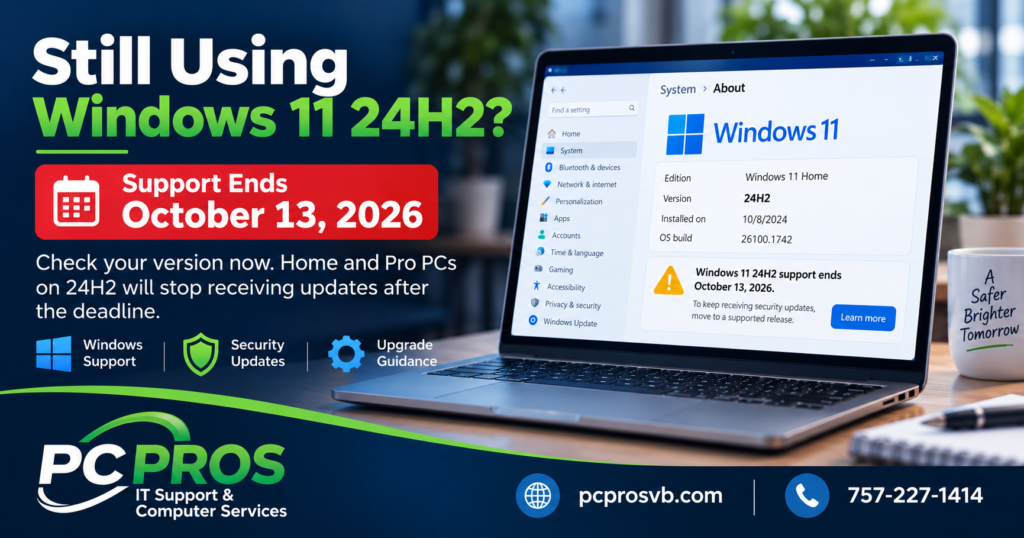
Microsoft has confirmed that Windows 11 24H2 Home and Pro editions will reach the end of updates on October 13, 2026. After that date, those editions will no longer receive monthly security updates, fixes for known problems, time-zone updates, or Microsoft technical support. Windows 11 24H2 Enterprise and Education editions have a different lifecycle and remain supported longer. Microsoft Support
For most home users and small businesses, this does not mean you need a new computer. In many cases, the solution is simply moving the PC from Windows 11 24H2 to a currently supported version of Windows 11.
But with the deadline only a short time away, now is a good time to make sure you know which version your computers are actually running.
Why the October 13 Deadline Matters
A computer running Windows 11 24H2 will not suddenly stop working on October 14.
The concern is what happens afterward.
Once Home and Pro editions of 24H2 reach the end of servicing, Microsoft will stop providing the normal security and quality updates that help protect Windows against newly discovered vulnerabilities and correct operating-system problems. Microsoft specifically says affected devices will no longer receive monthly security and preview updates, fixes for known issues, time-zone updates, or technical support. Microsoft Support
Continuing to use an unsupported version of Windows therefore becomes increasingly undesirable, particularly for computers used for business, email, banking, online accounts, or other sensitive activities.
There is no reason to panic, but there is a good reason to check now rather than discovering several months from now that a computer has quietly remained on an unsupported Windows release.
How to Check Which Version of Windows 11 You Have
Windows makes this fairly easy.
Click Start, open Settings, choose System, and then select About. Under Windows specifications, look for the entry labeled Version.
If it says 24H2, the October 13 deadline applies if you are running Windows 11 Home or Pro.
There is also a quicker method. Click the Windows search box, type winver, and press Enter. A small window will display your Windows edition, version, and operating-system build. Microsoft documents this same method for checking the installed Windows version. Microsoft Support
If your computer already shows 25H2, this particular October 13, 2026 deadline does not apply to you.
What Should Windows 11 24H2 Users Do?
For most existing Windows 11 computers, Windows 11 25H2 is the normal supported upgrade path.
Microsoft currently lists Windows 11 25H2 as a supported release and gives Windows 11 24H2 Home and Pro an end-of-updates date of October 13, 2026. Microsoft has also stated that unmanaged Home and Pro computers running 24H2 can receive the 25H2 update automatically through Windows Update. Microsoft Learn
Start by opening Settings > Windows Update and checking for available updates. If Windows 11 25H2 is offered, follow the normal Windows Update process and allow the computer enough time to complete the upgrade and restart.
Before installing a major Windows feature update, it is also a good idea to make sure your important files are backed up and that the computer has adequate free storage space.
If 25H2 is not being offered, do not automatically assume something is wrong. Microsoft can temporarily prevent a feature update from being offered to certain systems when there is a known hardware, driver, or software compatibility problem. These protections are known as safeguard holds, and Microsoft recommends against bypassing them casually because doing so can expose a computer to known update problems. Microsoft Learn
What About Windows 11 26H1?
The Windows version numbers can be confusing because you may also encounter references to Windows 11 26H1.
For most existing PCs, 26H1 is not the version you should be trying to install.
Microsoft says Windows 11 26H1 was created for selected newer hardware and is not offered as an in-place upgrade from Windows 11 24H2 or 25H2 on existing devices. In other words, seeing a newer-looking version number does not mean your 24H2 computer is supposed to jump directly to 26H1. Microsoft Learn
For an existing Windows 11 24H2 PC, the normal update path is generally Windows 11 25H2.
Small Businesses Should Check More Than One Computer
For a home computer, checking one PC may take only a minute or two.
A small business may have several desktops and laptops purchased at different times, and they may not all be running the same Windows version.
One computer could already be on 25H2 while another has remained on 24H2 because it has not been restarted regularly, an update was postponed, disk space is low, a compatibility issue is blocking the upgrade, or Windows Update needs attention.
That makes this a useful time to check each business computer individually rather than assuming they are all current.
It is also worth verifying that important business files are being backed up before making operating-system changes. A feature update normally completes without difficulty, but having a current backup is good practice whenever Windows is making a significant system change.
Do You Need to Replace a Windows 11 24H2 Computer?
Usually, no.
Unlike the Windows 10 end-of-support transition, this is primarily a Windows version lifecycle change, not a requirement to replace otherwise compatible Windows 11 hardware.
If the computer is already running Windows 11 24H2 successfully and Microsoft offers Windows 11 25H2 through Windows Update, the normal solution is simply to install the newer supported version.
If the update repeatedly fails, never appears, or the computer is showing other Windows problems, that is when some troubleshooting may be appropriate before forcing an upgrade.
A Good Time to Check Before the Deadline
October 13 is close enough that Windows 11 24H2 users should check their systems now, but there is no need for alarm.
Verify the version you are running, make sure your important files are backed up, install normal Windows updates, and move to Windows 11 25H2 when it is appropriately offered to your computer.
If you are unsure which version of Windows your PC is running, why an update is not being offered, or whether a computer is ready for the upgrade, PC Pros can help evaluate the system and make sure Windows is properly updated and supported.
PC Pros provides computer, Windows, network, backup, and IT support for residential customers, home offices, and small businesses throughout Virginia Beach and nearby areas.
Sources
Microsoft Support — September 22, 2026—KB5124010 (OS Builds 26200.9550 and 26100.9550) Preview
https://support.microsoft.com/en-us/servicing/os/windows-11/2026/09/kb5124010-windows-11-24h2-25h2-update
Microsoft Learn — Windows 11, version 24H2 known issues and notifications
https://learn.microsoft.com/en-us/windows/release-health/status-windows-11-24H2
Microsoft Learn — Windows 11 release information
https://learn.microsoft.com/en-us/windows/release-health/windows11-release-information
Microsoft Support — Windows Update Assistant / Check your Windows version
https://support.microsoft.com/en-us/windows/deployment/updates-lifecycle/windows-update-assistant
Microsoft Learn — Opt out of safeguard holds
https://learn.microsoft.com/en-us/windows/deployment/update/safeguard-opt-out