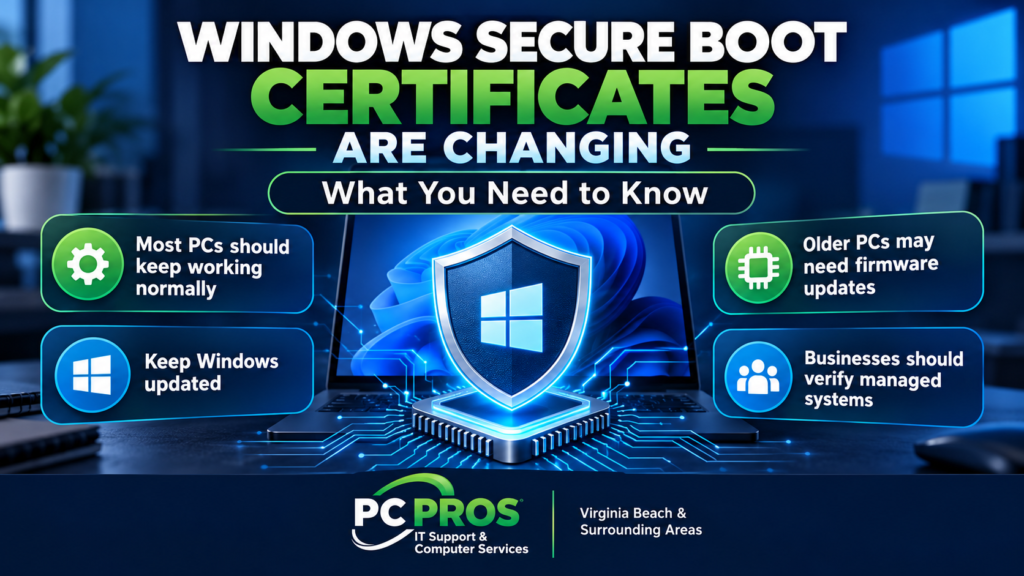
Microsoft is in the middle of an important security transition affecting millions of Windows computers.
The company is replacing older Windows Secure Boot certificates originally issued in 2011 with newer certificates designed to continue protecting PCs against threats that can attack before Windows even starts.
Several of the older certificates began expiring earlier this year, and another important certificate — Microsoft Windows Production PCA 2011 — reaches its expiration date on October 19, 2026.
That sounds concerning, but there is an important point to understand:
Your computer is not expected to suddenly stop working when the certificate expires.
For most home users, Microsoft is handling the transition automatically through Windows Update. Businesses with managed systems, older hardware, outdated firmware, or computers that are not receiving updates normally may need to pay closer attention.
Here is what home users and small businesses should know.
What Is Secure Boot?
Secure Boot is a security feature built into the firmware of modern PCs.
Before Windows loads, Secure Boot checks whether the software involved in starting the computer is digitally signed and trusted. This helps prevent certain types of malware — often called bootkits — from inserting themselves into the startup process before Windows and normal security software have a chance to run.
In simple terms, Secure Boot helps your computer answer an important question before Windows starts:
“Can I trust the software that is trying to start this PC?”
Microsoft and computer manufacturers use digital certificates to establish that trust.
Why Are the Secure Boot Certificates Changing?
Many Windows computers still contain Secure Boot certificates that Microsoft issued in 2011.
Digital certificates are not designed to last forever, and those older certificates are now reaching the end of their useful life.
Microsoft has created newer 2023 Secure Boot certificates to replace them and has been distributing the newer certificates through Windows Update.
The older certificate families involved include:
- Microsoft Corporation KEK CA 2011
- Microsoft UEFI CA 2011
- Microsoft Windows Production PCA 2011
Two of these began expiring in June 2026.
The Microsoft Windows Production PCA 2011 certificate, which has been used in the Windows boot process, reaches its expiration date on October 19, 2026.
Microsoft continues rolling out the replacement certificates to supported Windows computers.
Will Your PC Stop Working After October 19?
No.
This is probably the most important point for home users and small businesses.
Microsoft says a computer that has not yet received the newer Secure Boot certificates should still be able to:
- Start normally
- Run Windows
- Use everyday applications
- Browse the internet
- Connect to networks
- Receive ordinary Windows updates
So October 19 is not a date when millions of computers suddenly become unusable.
The larger concern involves security protections going forward.
What Protection Could an Outdated PC Lose?
A computer that does not receive the newer Secure Boot certificates may eventually be unable to receive some future security protections involving the earliest stages of the computer’s startup process.
These protections can involve areas such as:
- Windows Boot Manager
- Secure Boot trust databases
- Revoked or untrusted boot components
- Newly discovered boot-level vulnerabilities
- Certain BitLocker-related protections
- Some third-party bootloaders and firmware components
The PC may continue operating normally while gradually becoming less prepared for newly discovered threats affecting the boot process.
That is why Microsoft recommends allowing the Secure Boot certificate transition to take place rather than simply ignoring it.
What Should Home Users Do?
For most home users, the answer is fairly simple.
Keep Windows Updated
Open:
Settings → Windows Update
and install normal Windows updates.
Microsoft says most personal Windows devices should receive the newer Secure Boot certificates automatically through Microsoft-managed updates.
There is generally no reason for the average user to manually modify Secure Boot certificates.
Keep Manufacturer Firmware Current
Some computers may require a firmware or BIOS update from the manufacturer before the newer certificates can be applied correctly.
If your computer manufacturer provides firmware updates through Windows Update or its own support utility, keeping those updates current is a good practice.
This may be particularly important for older computers.
Don’t Disable Secure Boot Just to Avoid the Update
Disabling Secure Boot removes an important layer of protection against boot-level malware.
It can also affect technologies such as BitLocker.
If a computer is having trouble receiving the newer certificates, correcting the underlying update or firmware problem is preferable to simply disabling the security feature.
What Should Small Businesses Do?
Businesses should take a somewhat more structured approach.
Microsoft manages much of the transition automatically for ordinary personal computers and many unmanaged business PCs. However, organizations that centrally manage Windows devices may need to verify that their systems have received the updated certificates.
Businesses should pay particular attention to:
- Older PCs
- Computers that have missed Windows updates
- Systems running outdated firmware
- BitLocker-enabled computers
- Domain-managed computers
- PCs managed through Microsoft Intune or Group Policy
- Specialized hardware or unusual boot configurations
For a business with several computers, this is another example of why simply assuming every PC is properly updated can create unnecessary risk.
A computer can appear to be working perfectly normally while still missing an important security update.
Could Updating Secure Boot Cause Problems?
Most computers should make the transition normally, but changes involving firmware deserve more care than installing an ordinary application update.
Microsoft’s technical guidance notes that systems with outdated firmware or unsuccessful certificate updates can potentially encounter problems such as:
- Secure Boot validation errors
- Unexpected BitLocker recovery prompts
- Startup problems
- Certificate updates that fail to apply
For businesses with centrally managed systems, testing changes on representative computers before deploying them broadly is sensible.
That is particularly true when an organization has PCs from several manufacturers or uses different firmware versions and hardware configurations.
How Do You Know Whether Your PC Has Been Updated?
For most home users, Microsoft does not expect people to manually inspect the Secure Boot certificate databases inside their computers.
The practical approach is to keep Windows and manufacturer firmware current.
IT administrators have more technical methods available, including Windows event logs, registry information, PowerShell, and management tools that can determine whether the newer certificates have been installed.
If you manage several business computers, this is something worth verifying rather than simply assuming.
Keeping Windows Current Matters Beyond Secure Boot
Secure Boot certificates are only one part of keeping a Windows computer protected.
Microsoft continues changing Windows security, servicing, and update technologies, which makes keeping computers reasonably current increasingly important.
If you are also wondering which version of Windows 11 you are running and whether you should upgrade, see our recent article:
Windows 11 26H2 Is Here: Should You Upgrade?
Does Your PC Need Attention Right Now?
For most home users, there is no reason to panic or begin changing firmware settings.
Instead:
- Keep Windows Update current.
- Install appropriate manufacturer firmware updates.
- Don’t disable Secure Boot.
- Pay attention if Windows or your computer manufacturer reports firmware or Secure Boot problems.
For small businesses, particularly those with multiple or managed PCs, it is worth verifying that systems are receiving the newer certificates and remain properly protected.
The October 19 expiration date is not a “your computer stops working” deadline.
It is a reminder that security technologies built into modern PCs also require maintenance over time.
Need Help Checking Your Windows Computers?
If you’re unsure whether your Windows computers are properly updated, whether Secure Boot is configured correctly, or whether your business systems are receiving the security updates they need, PC Pros can help.
PC Pros provides Windows troubleshooting, computer support, networking, backup and IT services for home users and small businesses throughout Virginia Beach and the surrounding Hampton Roads area.
We can help determine whether your systems actually need attention — without making unnecessary changes to computers that are already configured correctly.